Kinesis Role-Based Access
This article demonstrates how ClickPipes customers can leverage role-based access to authenticate with Amazon Kinesis and access their data streams securely.
Introduction
Before diving into the setup for secure Kinesis access, it's important to understand the mechanism. Here's an overview of how ClickPipes can access Amazon Kinesis streams by assuming a role within customers' AWS accounts.
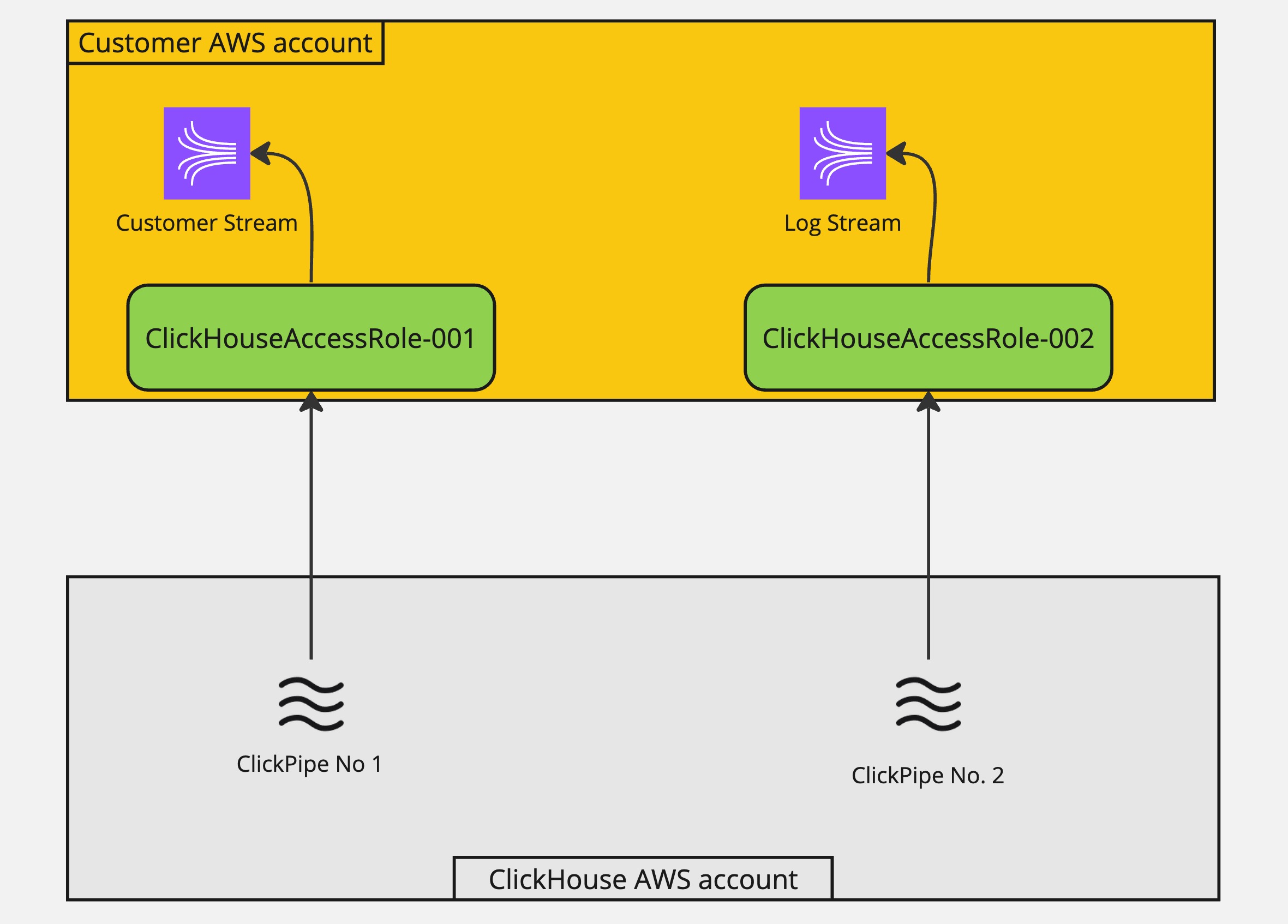
Using this approach, customers can manage all access to their Kinesis data streams in a single place (the IAM policy of the assumed-role) without having to modify each stream's access policy individually.
Setup
Obtaining the ClickHouse service IAM role Arn
1 - Login to your ClickHouse cloud account.
2 - Select the ClickHouse service you want to create the integration
3 - Select the Settings tab
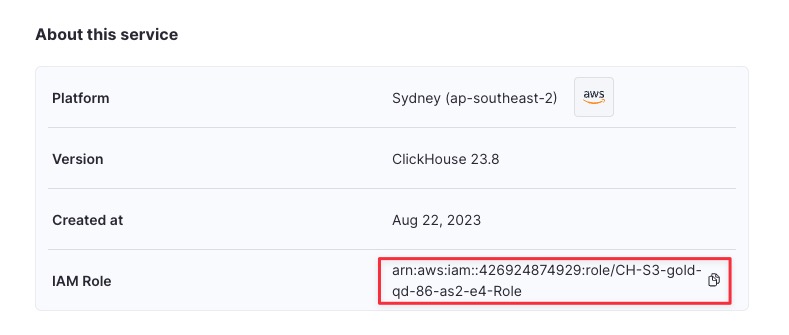
4 - Scroll down to the About this service section at the bottom of the page
5 - Copy the IAM Role value belong to the service as shown below.
Setting up IAM assume role
Manually create IAM role.
1 - Login to your AWS Account in the web browser with an IAM user that has permission to create & manage IAM role.
2 - Browse to IAM Service Console
3 - Create a new IAM role with the following IAM & Trust policy. Note that the name of the IAM role must start with ClickHouseAccessRole- for this to work.
Trust policy (Please replace {ClickHouse_IAM_ARN} with the IAM Role arn belong to your ClickHouse instance):
IAM policy (Please replace {STREAM_NAME} with your Kinesis stream name):
4 - Copy the new IAM Role Arn after creation. This is what needed to access your Kinesis stream.